
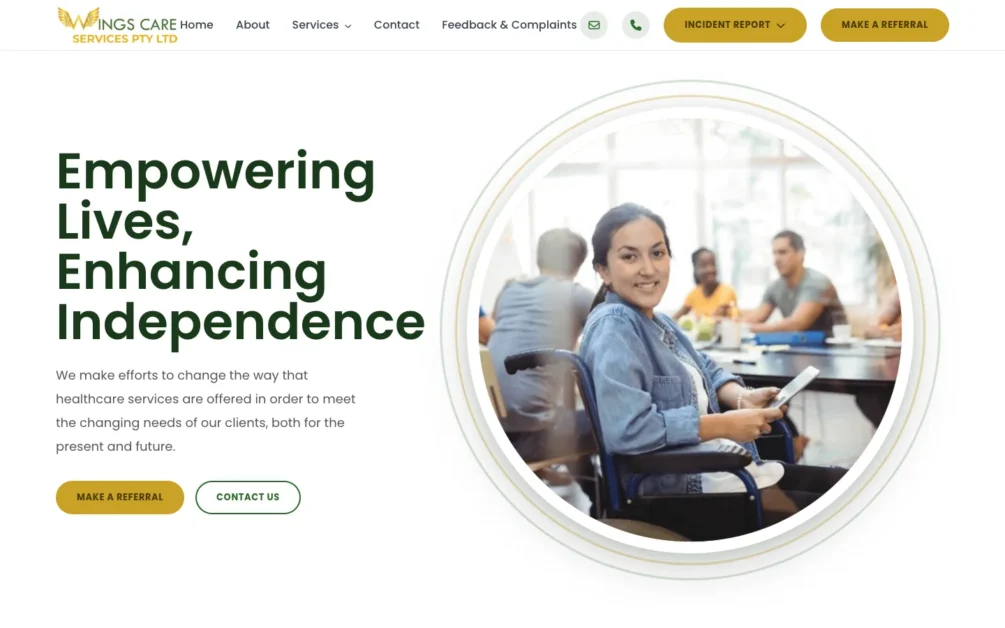
This NDIS provider website design Perth case study covers Wings Care, a disability support provider serving the Perth metropolitan area in Western Australia. The WordPress website gives each of nine NDIS supports its own page, a Make a Referral button on every page for support coordinators, and separate forms for feedback, incidents and medication incidents.
I’m Arul M Joseph, a WordPress, Shopify and Laravel developer with 14+ years of experience and 500+ websites delivered. I designed and built the Wings Care website. This page explains the structure, the decisions behind it, and what you should copy for your own NDIS provider website.
Quick Summary
Wings Care needed more than a standard healthcare website. As an NDIS service provider operating across metropolitan Perth, the website had to explain a broad range of disability supports, build trust with participants and families, help support coordinators make referrals, and provide online forms for feedback and incident reporting.
- Nine dedicated NDIS service pages instead of one generic services page.
- A Make a Referral button on every page for participants, families and support coordinators.
- Dedicated digital forms for feedback and complaints, incidents and medication incidents.
- A local SEO site architecture built around individual services and the Perth market.
Project at a glance
| Item | Details |
|---|---|
| Client | Wings Care PTY LTD |
| Industry | NDIS disability support services |
| Location | Perth metropolitan area, Western Australia |
| Platform | WordPress, responsive design, schema markup |
| Service pages | 9 dedicated NDIS support pages |
| Forms | Make a Referral (contact page), Feedback & Complaints, Incident Report, Medication Incident |
| Main goal | Help participants, families and support coordinators find the right support and refer a participant |
| Live site | wcservices.com.au |
What Did the Wings Care Website Project Involve?
NDIS provider website design in Perth needs a different approach from a typical local business website. The website has to explain sensitive services clearly and keep important actions easy to find for people with different needs and levels of digital confidence.
Wings Care provides person-centred NDIS support across the Perth metropolitan area. Its services focus on independence, choice and everyday outcomes. The service portfolio includes daily living assistance, personal care, community participation, Supported Independent Living, nursing and other disability supports.
That raised one design question: how do you present a large NDIS service portfolio without making the website hard to navigate? The answer was to treat the project as an information architecture and user journey problem first, and a visual design problem second.
In projects like Wings Care, I start with the pages, visitor journeys and conversion points before working on visual elements. For a disability support website, this planning matters more, because a participant, a family member and a support coordinator each use the same website in a different way.
Who Does an NDIS Provider Website Need to Serve?
The Wings Care website serves five groups: participants, family members, support coordinators, existing stakeholders and staff. Each group arrives with a different task, so the architecture supports a separate path for each one.
- A participant wants to know whether Wings Care offers help with daily activities.
- A family member wants to understand the organisation and its approach before making contact.
- A support coordinator already knows which service the participant needs and wants a quick way to submit a referral.
- Existing stakeholders and staff visit to submit feedback or report an incident.
| Visitor | Likely need | Website path |
|---|---|---|
| NDIS participant | Understand available support | Service, details, contact |
| Family member | Build trust | Home, About, Services, Contact |
| Support coordinator | Refer a participant | Service, Make a Referral |
| Existing stakeholder | Give feedback | Feedback & Complaints |
| Staff or stakeholder | Record an incident | Incident Report Form |
| Staff or stakeholder | Record a medication incident | Medication Incident Form |
A common mistake with disability support websites is treating every visitor as a sales lead. Some Wings Care visitors are researching, some are ready to refer, and others need operational forms.
How Is the NDIS Service Architecture Structured?
The Wings Care service architecture gives each main support its own page. Individual services become easier for people to understand, and search engines get one clear page for each service topic.
Wings Care service structure
- Development of Daily Living Skills
- Personal Activities & High Care
- Daily Tasks & Shared Living
- Community Participation
- Supported Independent Living (SIL)
- Plan Management & Coordination
- Community Nursing Care
- Household Tasks Assistance
- Group & Centre Activities
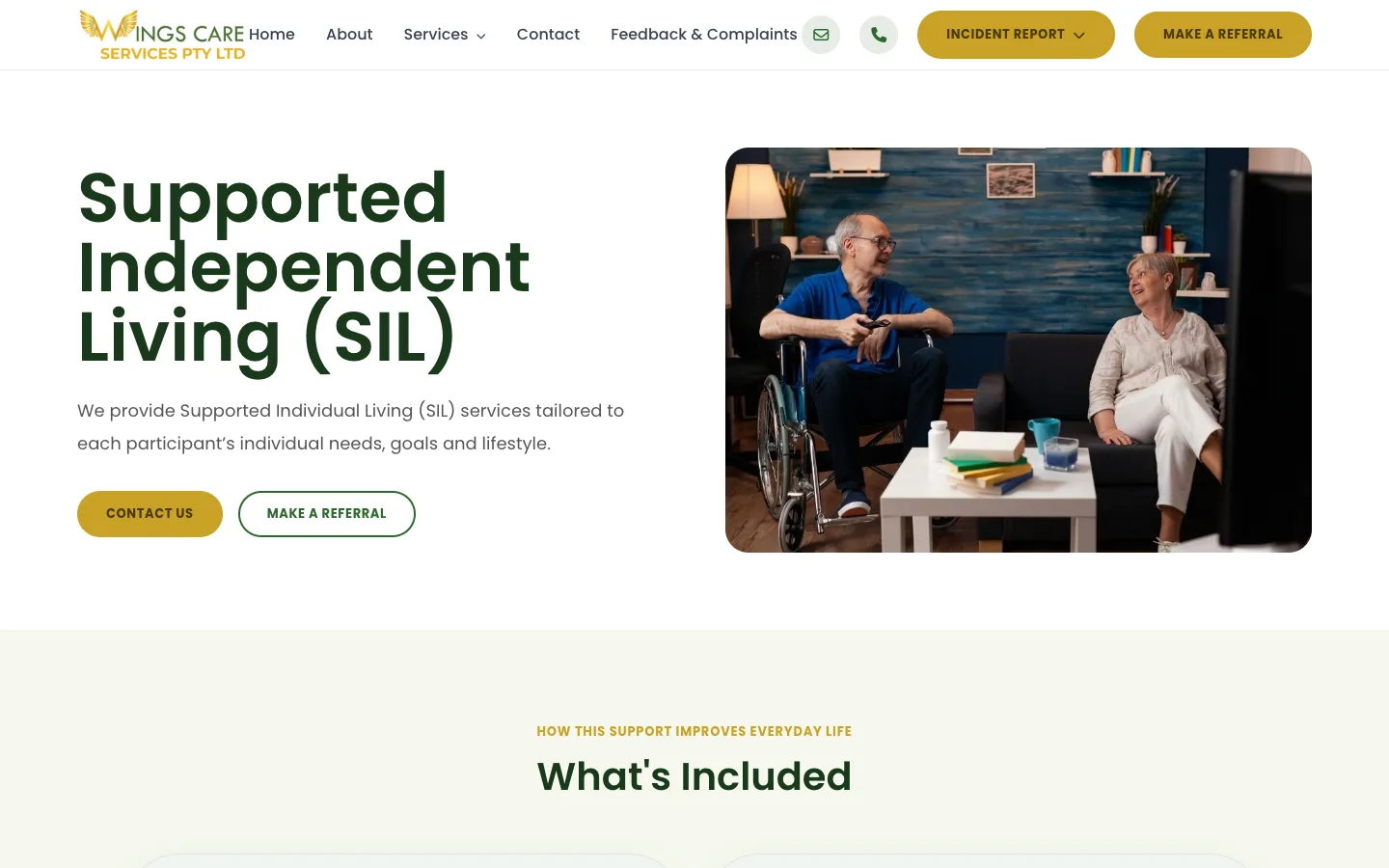
Why do separate service pages matter?
A service silo is a website structure where closely related information sits in clearly defined topical sections. For Wings Care, the service section works as a group of NDIS support pages, with no single page trying to cover every search intent.
Someone looking for Supported Independent Living has a different need from someone searching for community nursing care. A separate page lets each service explain:
- What the service involves
- Who benefits from it
- What assistance Wings Care provides
- Relevant participant outcomes
- How to enquire
- How to make a referral
Each service has its own URL, headings, copy and internal link context. This gives Google, answer engines and AI search tools a clear signal about each service Wings Care offers in Perth.
How Does the Referral Pathway Work?
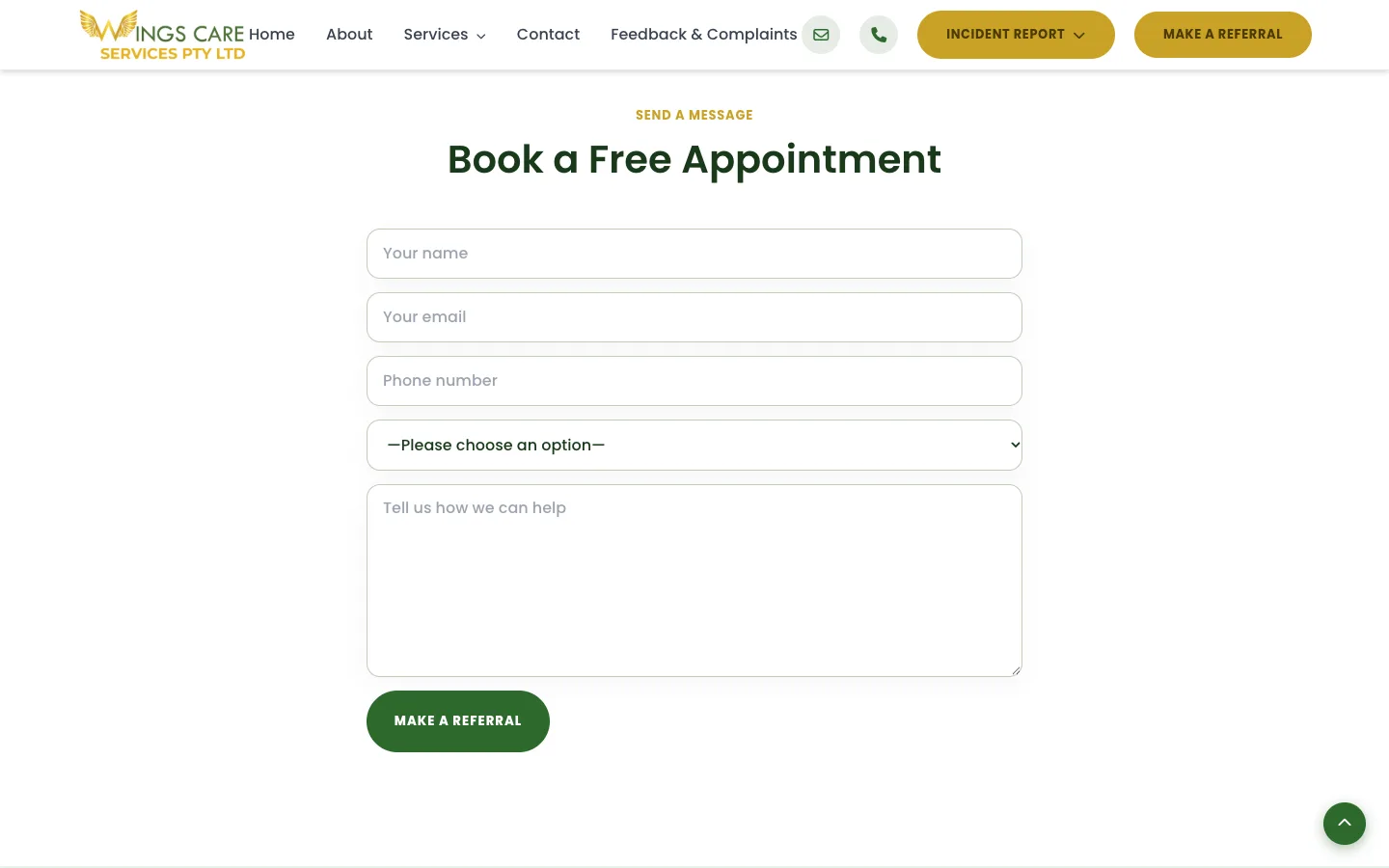
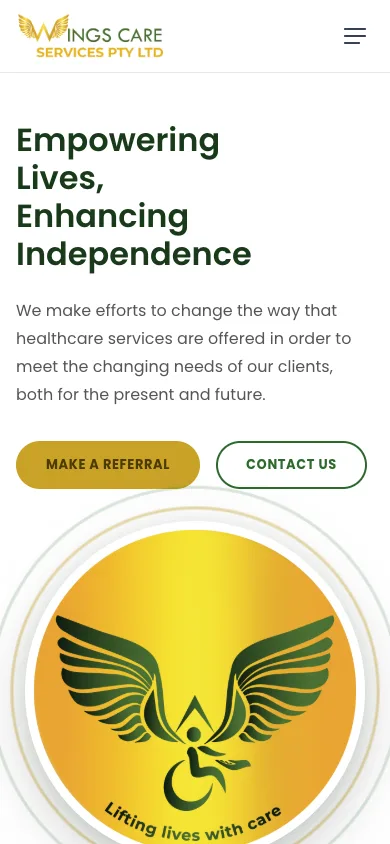
The referral pathway gives participants and support coordinators a direct route from any page to a referral. A gold Make a Referral button sits in the main header on every page, next to an Incident Report dropdown. Every Make a Referral button leads to one page, titled “Make an NDIS Referral”, with a short form.
- Name, email and phone number
- A service dropdown listing the NDIS supports
- A message field for the participant’s needs
- A green Make a Referral submit button
One referral page keeps the form short and gives every button the same destination. The service dropdown tells Wings Care which support the referral is for before anyone calls back.
From service page to referral
- A visitor searches for a service.
- They land on the matching Wings Care service page.
- They read what the support includes.
- They choose Make a Referral.
- They submit the participant details.
The referral call to action appears in high-visibility areas:
- Main navigation
- Hero sections
- Individual service pages
- Mobile navigation
- Call-to-action sections
If a support coordinator already knows a participant needs Supported Independent Living, the referral form is one click away from the SIL page. They do not need to go through About Us and Services first.
How Are NDIS Incident Management Forms Integrated?
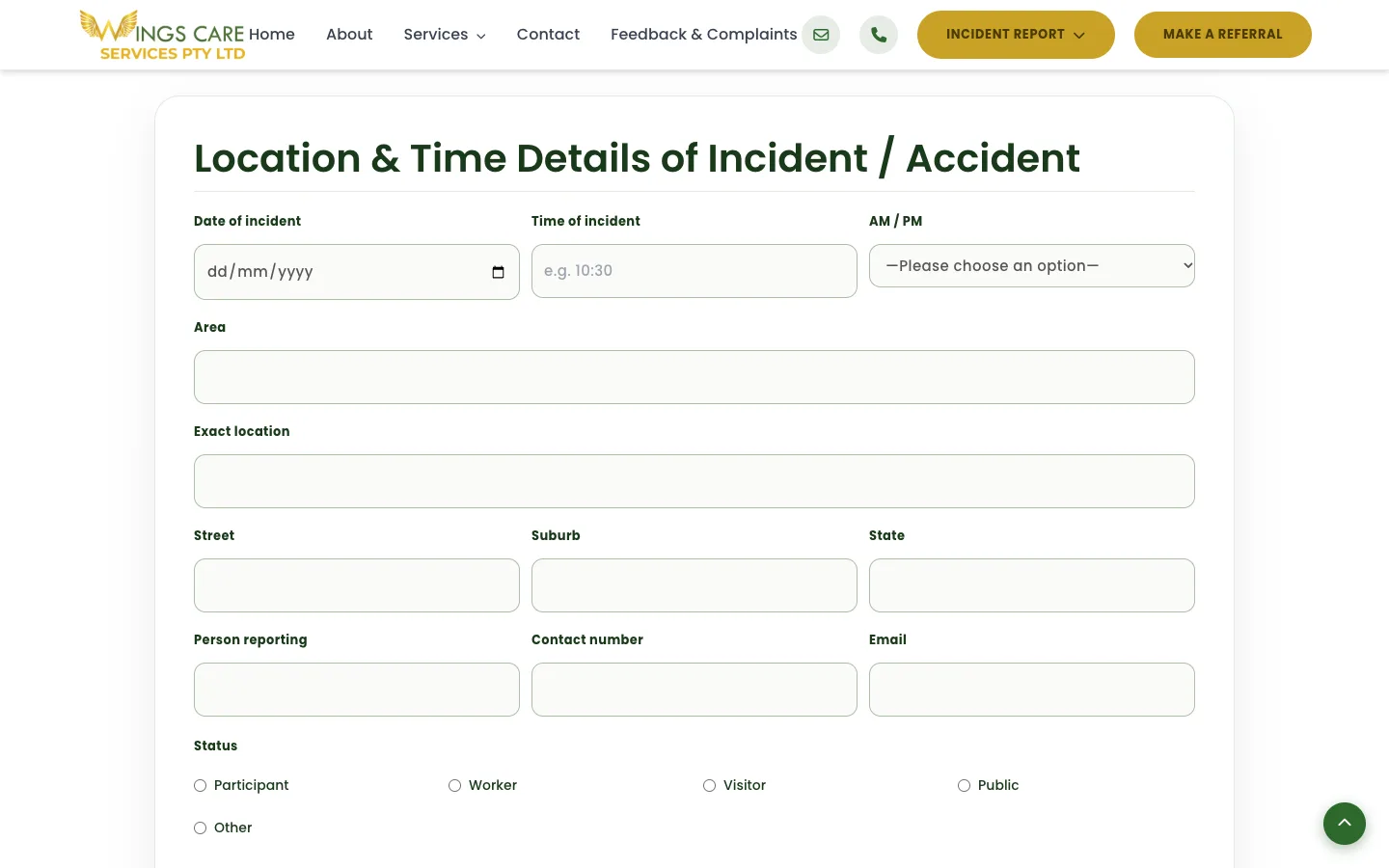
NDIS incident management forms integration means turning reporting processes into structured digital workflows, in place of generic contact forms or paper. The Wings Care website includes three dedicated pages:
- Feedback & Complaints
- Incident Report Form
- Medication Incident Form
These pages serve a different purpose from the referral form. A referral form needs a name, contact details and a message. An incident workflow needs structured information about what happened and enough context for the organisation’s internal process.
The NDIS Quality and Safeguards Commission states that incidents connected with NDIS supports need to be identified, assessed, recorded, managed and resolved, and that registered providers must maintain an incident management system (NDIS Quality and Safeguards Commission).
A website form supports that workflow. The form itself is not the entire incident management system. The Commission describes an incident management system as the broader processes and procedures for identifying, recording, reporting and managing incidents. Certain reportable incidents must also be notified to the NDIS Commission within set timeframes (NDIS Quality and Safeguards Commission). A website should not suggest that submitting an internal WordPress form meets every regulatory reporting requirement.
Why use separate incident forms?
One generic form with a dropdown such as “Contact / Complaint / Incident / Medication Issue” looks simpler to build. It makes the process less clear for the person completing it. Dedicated forms give each task a clear entry point:
| Form | Purpose |
|---|---|
| Make a Referral (contact page) | Participant referrals and general enquiries |
| Feedback & Complaints | Feedback and complaint submission |
| Incident Report | Structured incident information |
| Medication Incident | Medication-related incident information |
Separate forms also make future changes safer. The medication form changes without affecting the referral form.
How Was Accessibility Built Into the UX?
Accessible NDIS web design means designing content, navigation and forms so people with different abilities understand and operate them. For Wings Care, this meant readable content, clear hierarchy, visible actions and mobile-friendly navigation ahead of decoration.
The W3C organises WCAG 2.2 around four principles: content should be perceivable, operable, understandable and robust (W3C). For a disability support website, these principles apply directly.
- Readable font sizing
- Sufficient visual contrast
- Descriptive headings
- Logical content order
- Clearly identifiable buttons
- Keyboard-accessible controls
- Meaningful form labels
- Clear validation and instructions
- Touch-friendly interactive elements
- Responsive layouts for mobile devices
W3C’s Web Accessibility Initiative recommends associating form controls with labels, providing instructions and grouping related controls (W3C). It also recommends dividing long forms into logical stages (W3C). An incident form with every field on one dense screen captures the data the organisation wants, and still gives the person reporting the incident a poor experience.
How Does Local SEO Work for an NDIS Provider in Perth?
Local SEO architecture connects individual services with clear business and geographic context. For Wings Care, the goal was a foundation for service-specific searches across the Perth metropolitan area, without repeating “Perth” in every paragraph.
The nine-service architecture targets searches around specific support needs:
- Supported Independent Living Perth
- Community nursing NDIS Perth
- Community participation support Perth
- NDIS household tasks assistance Perth
- Daily living support Perth
This works better than near-identical location pages created to target keywords.
Local SEO is not keyword repetition
The stronger approach sets consistent relationships between organisation, location, services, audience and referral pathway. These signals are reinforced through:
- Page titles
- H1 and H2 headings
- Service descriptions
- Internal links
- About information
- Contact and location information
- Structured data
- Descriptive image alt text
- Relevant FAQs
If an AI system answers a question about disability support in Perth, a website with separate, descriptive pages for SIL, nursing and community participation gives it clearer source material than a homepage with a long list of service names.
How Do SEO, AEO and AI Search Fit Together?
SEO helps search engines find and rank pages, AEO helps content answer specific questions, and GEO makes information clear enough for generative search tools to understand and cite. All three depend on a strong site architecture.
For Wings Care, this starts with clear entities. Wings Care provides NDIS disability support services across metropolitan Perth, through nine service categories, with a defined referral process. Individual pages state those relationships directly.
A well-written SIL page tells a search engine or AI model the page is about Supported Independent Living. The model does not need to infer the topic from a few lines inside a generic services page. FAQ content then answers natural questions where it helps the visitor.
Why Was WordPress Chosen for This NDIS Website?
WordPress gives Wings Care a manageable content platform with dedicated service pages, forms, SEO controls and room to add content. The platform choice mattered less than organising it around a maintainable structure. Read more about my WordPress website development approach.
| Section | Function |
|---|---|
| Home | Brand introduction and primary pathways |
| About Us | Organisation and trust |
| Service pages | Individual NDIS supports |
| Contact (Make an NDIS Referral) | Participant referrals and general enquiries |
| Feedback & Complaints | Feedback workflow |
| Incident Report | Incident reporting |
| Medication Incident | Medication-specific reporting |
This separation keeps ongoing management simple. An update to Supported Independent Living content does not touch a large services page. A change to the incident form does not touch the Contact page.
A practical development detail
When I build WordPress forms, I watch what happens after the user clicks Submit. For important forms, I test the full path:
- Validation
- Submission
- Confirmation message
- Email and notification handling
- Storage or workflow
- Error behaviour
If a required incident field fails validation on mobile, the user needs to see exactly what went wrong. A generic “There was an error” message at the top of a long form fails the user when the problem field sits far below the current screen.
Sensitive form data also needs planning for access, storage, retention, backups, email exposure and WordPress administrator permissions. The right setup depends on the organisation’s privacy and operational requirements.
How Does the Website Build Trust With Participants and Families?
Trust on an NDIS provider website comes from clear information and transparent pathways, not marketing claims. Participants and families need to know who the provider is, what it offers, and how to contact it or raise concerns.
- Organisation information
- Clearly described services
- Healthcare-oriented positioning
- Participant-focused language
- Visible referral options
- Feedback pathways
- Incident reporting pathways
- Consistent contact options
The website feels professional and approachable, and keeps practical actions obvious.
What Common NDIS Website Problems Does This Architecture Avoid?
Many NDIS websites become hard to use because marketing, services and operational information are mixed together. The Wings Care architecture separates these functions so each visitor reaches the information they need.
| Common problem | Wings Care approach |
|---|---|
| Every NDIS service on one page | Nine dedicated service pages |
| Referral option hard to find | A Make a Referral button in the header of every page |
| Incident reporting treated as a normal enquiry | Dedicated Incident Report and Medication Incident forms |
| Forms built for desktop only | Mobile-first design across key interactions |
| A website called “compliant” because it has a form | Forms treated as digital components of the organisation’s wider procedures |
What Was the Result?
The Wings Care project delivered a structured WordPress website built around NDIS service discovery, referrals, operational forms and local Perth visibility.
- Nine individual NDIS service pages
- A Make a Referral button on every page, linked to a referral form with a service dropdown
- Feedback & Complaints functionality
- An Incident Report Form
- A dedicated Medication Incident Form
- Mobile-focused navigation
- Accessible content and form design
- Service-focused SEO architecture
- Perth geographic relevance
- A scalable WordPress content structure
This case study reports what was built. It makes no traffic, ranking or conversion claims, because those need measured analytics data.
Frequently Asked Questions
What should an NDIS provider website include?
An NDIS provider website should make its services, service area, organisation information, contact options and referral process easy to find. Depending on the provider’s operations, it also needs feedback, complaints or incident pathways. The requirements should reflect the organisation’s own services and regulatory responsibilities.
Why create separate pages for each NDIS service?
Separate pages explain each support properly and give users a direct destination for the service they need. They also give a stronger base for service-specific SEO than short sections on one page. Wings Care has nine dedicated service pages.
Can an NDIS incident report be submitted through a website?
Yes, a provider uses a secure digital form as part of its internal incident management workflow. An internal website submission is not the same as notifying the NDIS Commission about a reportable incident. Registered providers must notify the Commission according to its reporting requirements and timeframes (NDIS Quality and Safeguards Commission).
What makes an NDIS website accessible?
Accessible design includes readable content, sufficient contrast, logical headings, keyboard access, labelled forms, clear instructions and well-sized interactive controls. WCAG 2.2 is the W3C framework for evaluating web accessibility (W3C).
Is WordPress suitable for an NDIS provider website?
Yes, when it is built and maintained well. WordPress supports service pages, referral forms, content management, SEO and operational forms, and grows as services change. Security, access control, backups, updates and the handling of sensitive form data still need careful planning.
Key Takeaway
The Wings Care project shows why NDIS provider website design in Perth is more than a visual design exercise. A disability support website serves participants, families, support coordinators and existing stakeholders at different stages of their relationship with the provider.
For Wings Care, each job has a clear place. Services have dedicated pages, referrals have a button on every page, feedback has its own process, and incident reporting has purpose-built forms.
The lesson for your project: start with what people need to do on the website, then build the design and technology around those journeys. See more projects in my website design case studies, or read about my NDIS website design services.