
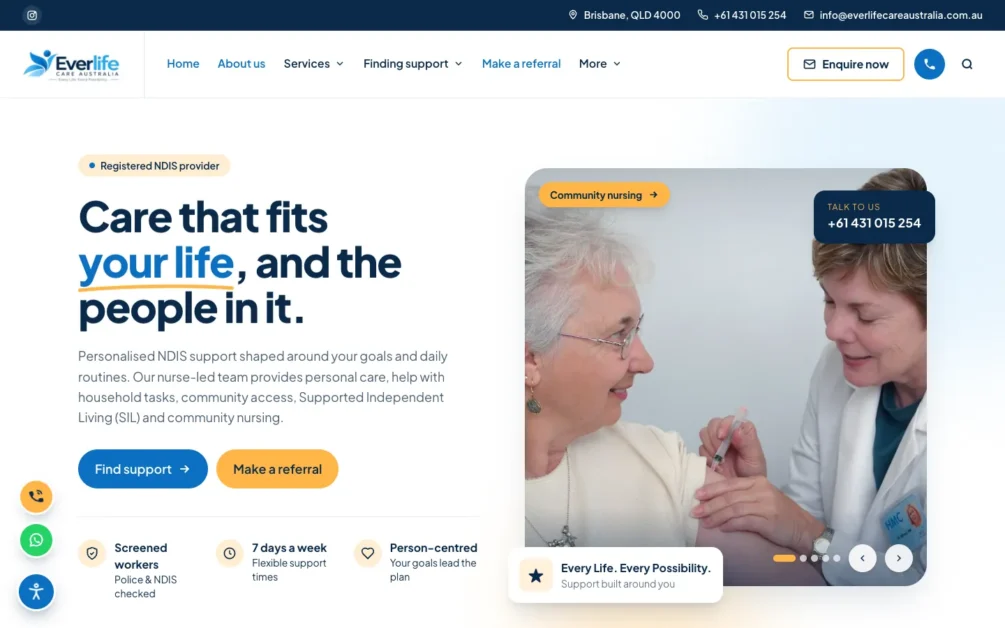
This NDIS provider website design Brisbane case study covers Everlife Care Australia, a registered NDIS provider with a nurse-led team serving South East Queensland. The WordPress website gives each of 11 NDIS supports its own page, adds a support worker match quiz and five regional pages, and splits referrals, SIL home enquiries and feedback into separate forms.
I’m Arul M Joseph, a WordPress, Shopify and Laravel developer with 14+ years of experience and 500+ websites delivered. I designed and built the client’s website. This page explains the structure, the decisions behind it, and what you should copy for your own NDIS provider website.
Quick Summary
The provider needed a website for three audiences at once: participants, families and carers, and support coordinators. Each group arrives with a different job, and the site gives each job its own route.
- 11 dedicated NDIS service pages, grouped and filtered by type of support.
- A support worker match quiz and a Find your Support Worker hub.
- Five regional pages for Brisbane, Moreton Bay, Sunshine Coast, Gold Coast and Logan.
- Four purpose-built forms: general enquiry, referral, SIL home enquiry, and feedback and complaints.
- An on-page accessibility toolbar with text size, contrast, readable font and reading mask controls.
Project at a glance
| Item | Details |
|---|---|
| Client | Everlife Care Australia |
| Industry | NDIS disability support and community nursing |
| Location | Brisbane head office, serving South East Queensland |
| Platform | WordPress, responsive design, schema markup |
| Service pages | 11 dedicated NDIS support pages |
| Regional pages | Brisbane, Moreton Bay, Sunshine Coast, Gold Coast, Logan |
| Forms | Enquiry, Make a Referral, SIL Home Enquiry, Feedback & Complaints |
| Main goal | Help participants, families and support coordinators find the right support and start a referral |
| Live site | everlifecareaustralia.com.au |
What Did This NDIS Website Project Involve?
NDIS provider website design in Brisbane starts with one question: what does each visitor need to do on the site? For this provider, the answer covered daily support, complex nursing care, shared living and referrals from professionals.
The provider offers personal care, household tasks, community access, Supported Independent Living (SIL) and community nursing. A nurse-led team runs the assessment, and registered and enrolled nurses deliver clinical care at home. The service area spans five regions across South East Queensland.
The brief was broad, so I treated the project as an information architecture problem first. I mapped the pages, visitor journeys and conversion points before any visual design work.
Who Does This NDIS Provider Website Serve?
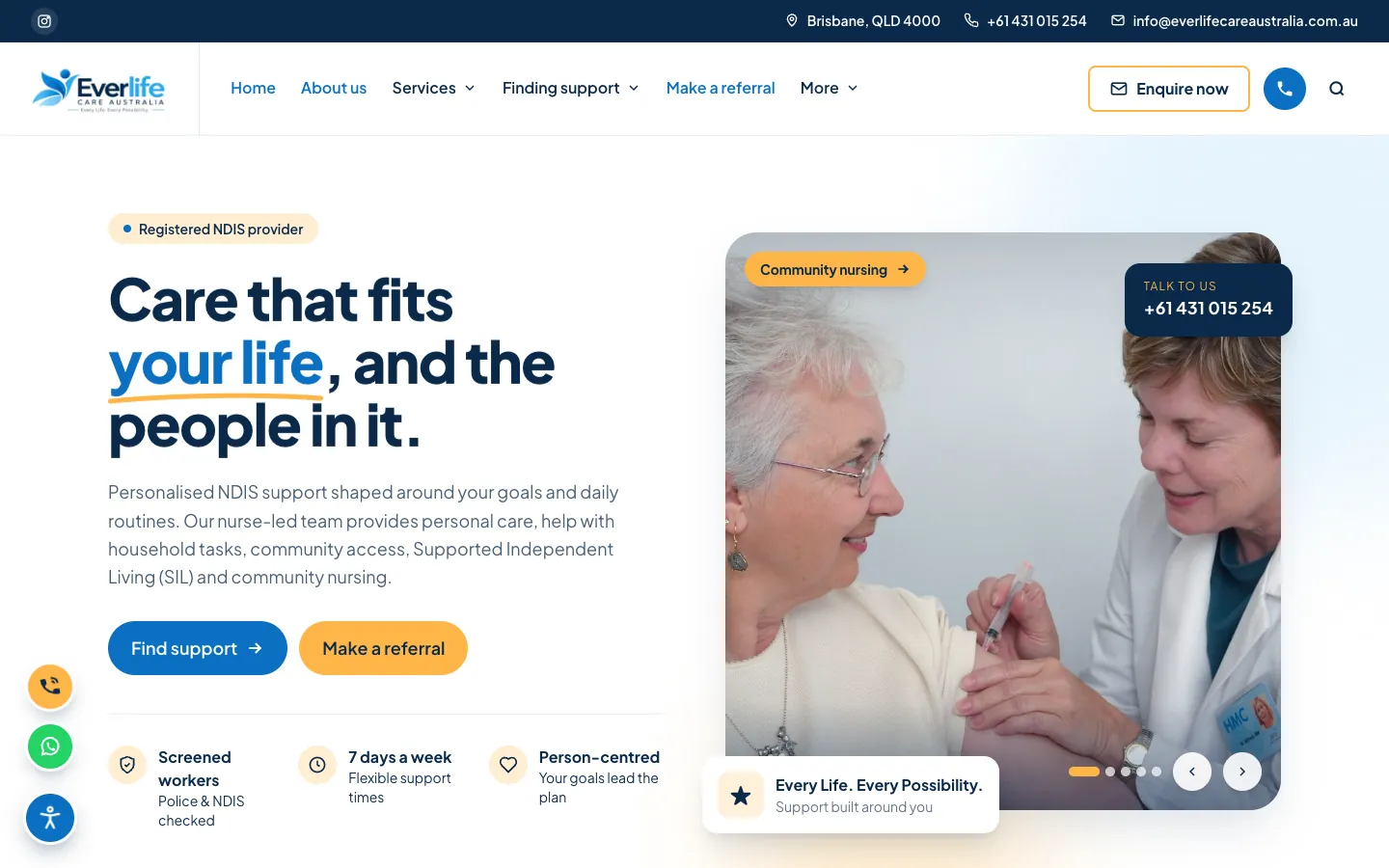
The website serves participants, families and carers, support coordinators and health professionals, existing clients and job seekers. Each group gets a clear path from the homepage.
| Visitor | Likely need | Website path |
|---|---|---|
| NDIS participant | Find support and a familiar worker | Find your Support Worker, match quiz, service page |
| Family member or carer | Build trust before making contact | About us, Services, Contact |
| Support coordinator | Refer a participant | Make a referral |
| Participant seeking a home | Ask about shared or individual living | Our SIL homes |
| Existing client or family | Give feedback or raise a concern | Feedback & Complaints |
| Support worker or nurse | Apply for a role | Join us |
The homepage enquiry form reflects this split. Its first question asks whether the person is enquiring for themselves or family, or as a referrer. A second field asks for the funding type: NDIS self-managed, plan-managed, NDIA-managed, private funding, or not sure yet.
How Are the 11 NDIS Service Pages Structured?
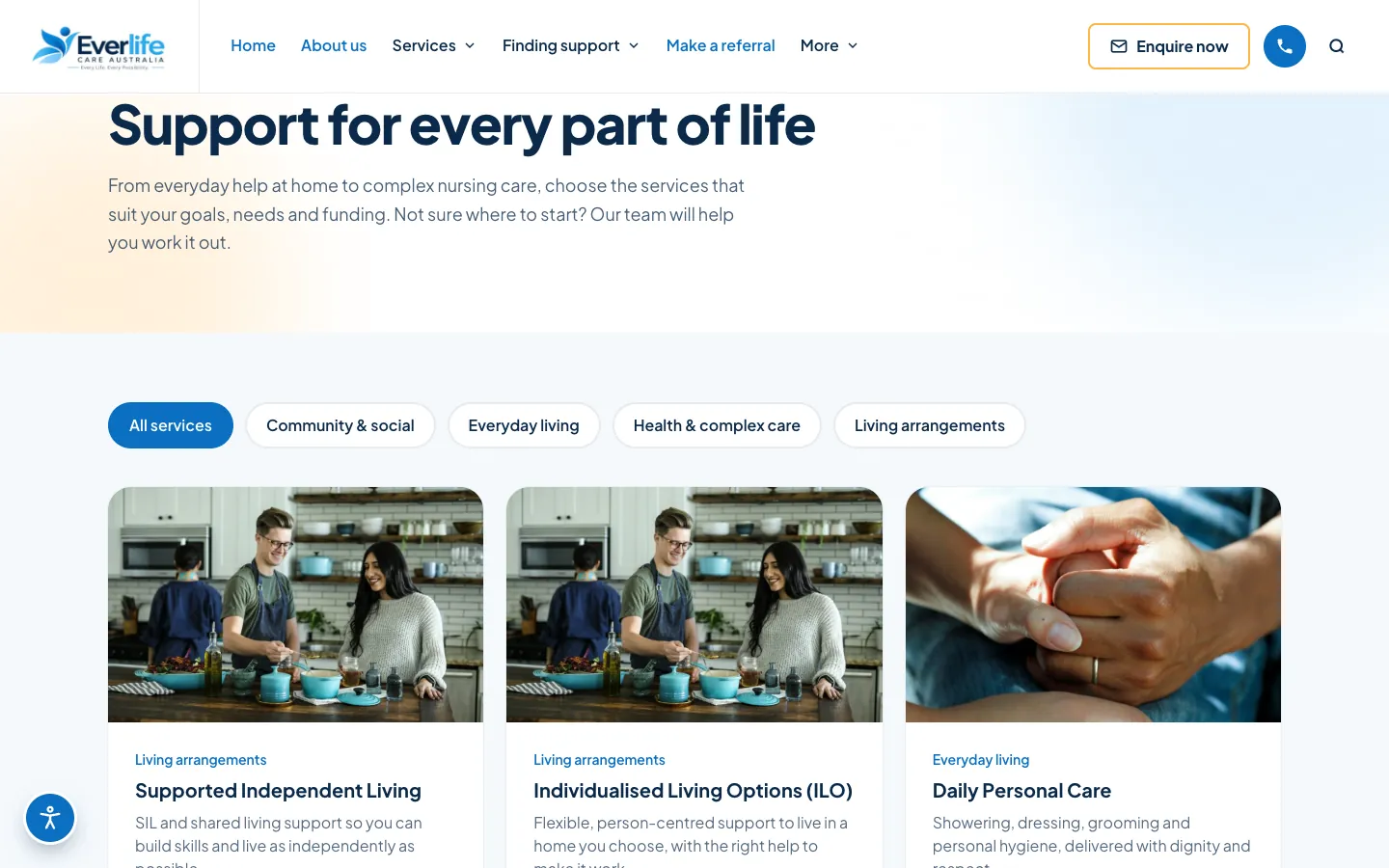
Each of the 11 NDIS supports has its own page, and the Services page groups them into four categories with filter tabs. A visitor narrows the list to the type of help they want before opening a service.
| Category | Services |
|---|---|
| Living arrangements | Supported Independent Living, Individualised Living Options (ILO) |
| Everyday living | Daily Personal Care, Household Tasks, Development of Life Skills, Respite Care |
| Community & social | Community Participation, Travel & Transport, Group & Centre-Based Activities |
| Health & complex care | Community Nursing Care, High-Intensity Personal Activities |
What does each service page include?
Every service page follows the same order, so a visitor who reads one page knows where to find answers on the next. The Supported Independent Living page shows the pattern:
- Heading, tagline and short overview
- Key facts: who it is for, where, when and how it is funded
- What is included, in six named support areas
- A four-step getting started process
- Funding, explained in terms of NDIS Core Supports
- Service-specific FAQs, such as “Does SIL funding pay for rent?”
- An enquiry form with a funding type field
- Three related service cards
A repeated structure has a second benefit. Search engines and AI tools see one clear topic per URL, with consistent headings for scope, process and funding.
How Does the Support Worker Match Quiz Work?
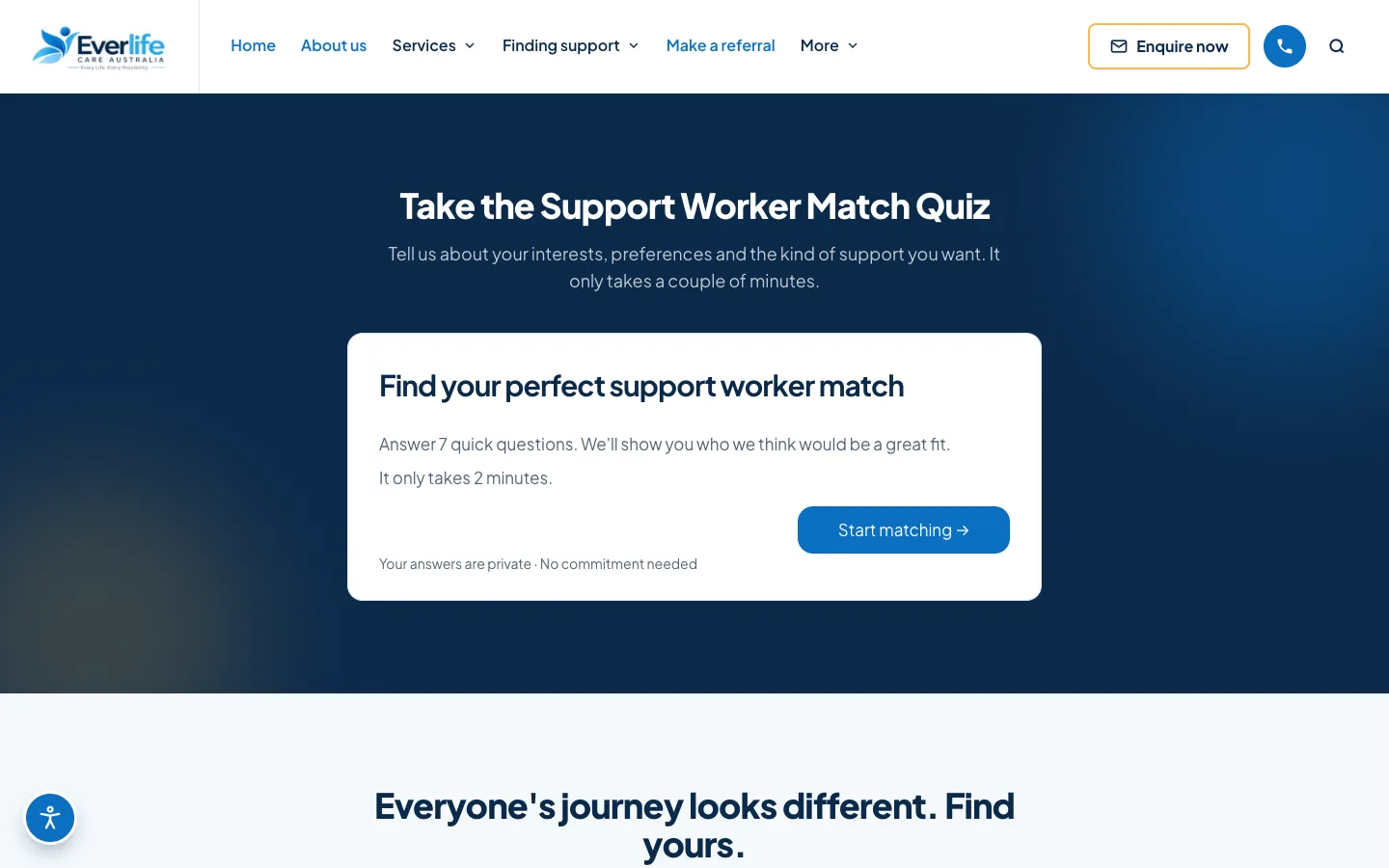
The match quiz is a short questionnaire about interests, preferences and the type of support a person wants. It sits on the Find your Support Worker page and gives participants a low-pressure first step before they talk to anyone.
The hub page answers a common worry for NDIS participants: a revolving door of unfamiliar workers. It states the provider’s commitments in plain terms:
- Flexible support times, seven days a week
- A reply within one business day of an enquiry
- NDIS Worker Screening Checks and police checks for every worker
- Registered and enrolled nurses for clinical care at home
Below the quiz, three audience cards split the next step. Participants go to “Find my support match”, families go to “Talk to our team”, and support coordinators go to “Make a referral”.
How Does the NDIS Referral Form Work?
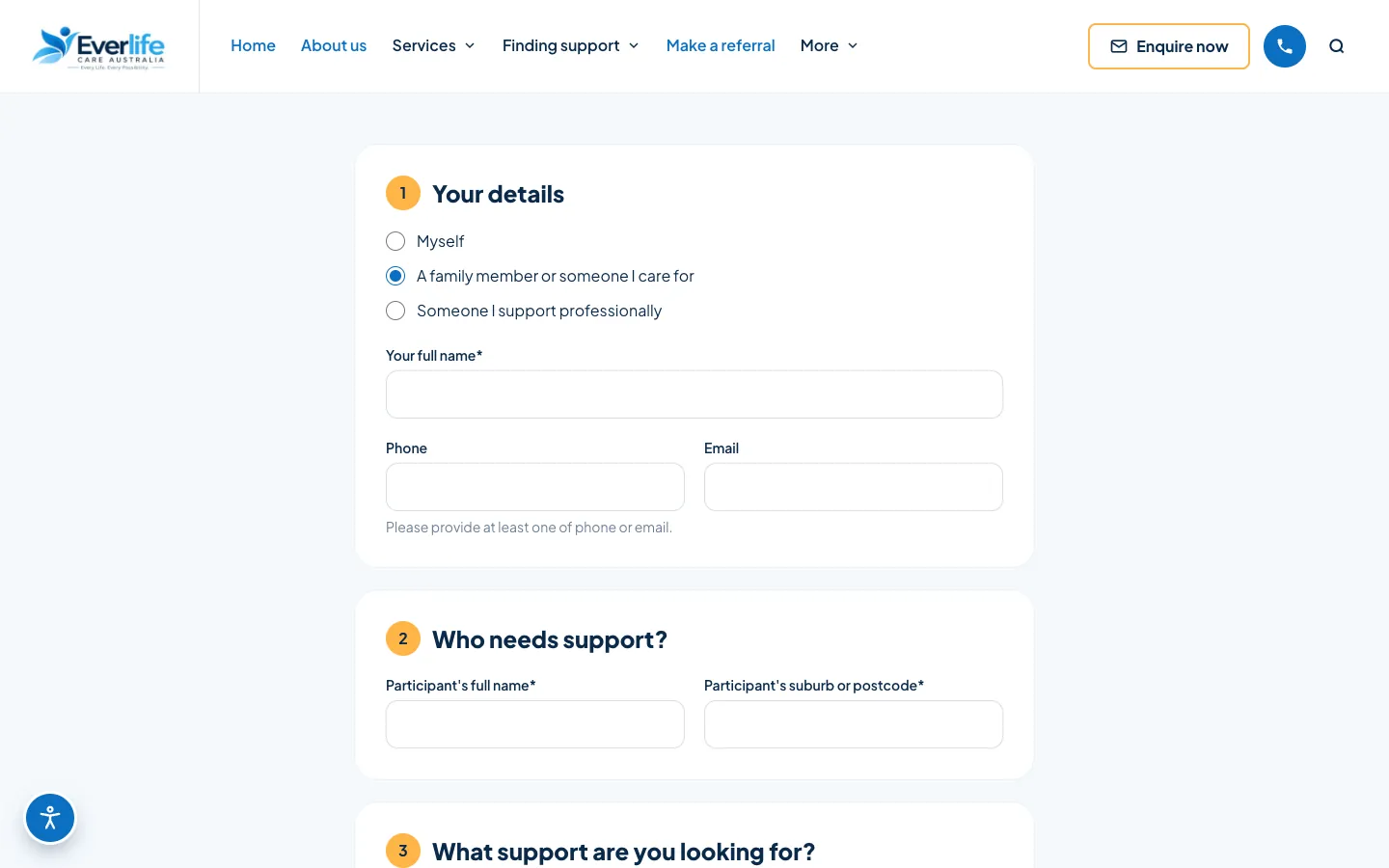
The referral form takes a referrer through three short steps: your details, who needs support, and what support you are looking for. A Make a referral link sits in the hero and in the main navigation, so coordinators reach it from any page.
- Your details. The referrer picks Myself, A family member or someone I care for, or Someone I support professionally. The form asks for a name and at least one of phone or email.
- Who needs support? The participant’s full name and suburb or postcode.
- What support are you looking for? Twelve checkboxes, from personal care to SIL, plus “I’m not sure yet”.
A required consent checkbox confirms the participant or their representative agreed to the referral. The page then sets expectations in four steps: receipt confirmed within one business day, a call with the client, a quote and service agreement, then support begins with the referrer kept updated.
Why ask for phone or email, not both?
Support coordinators send referrals for many participants. Some prefer email, others want a call. Requiring one contact method keeps the form short without losing the ability to reply. The suburb or postcode field tells the team which region and roster the referral belongs to before anyone calls back.
How Is the SIL Home Enquiry Different?
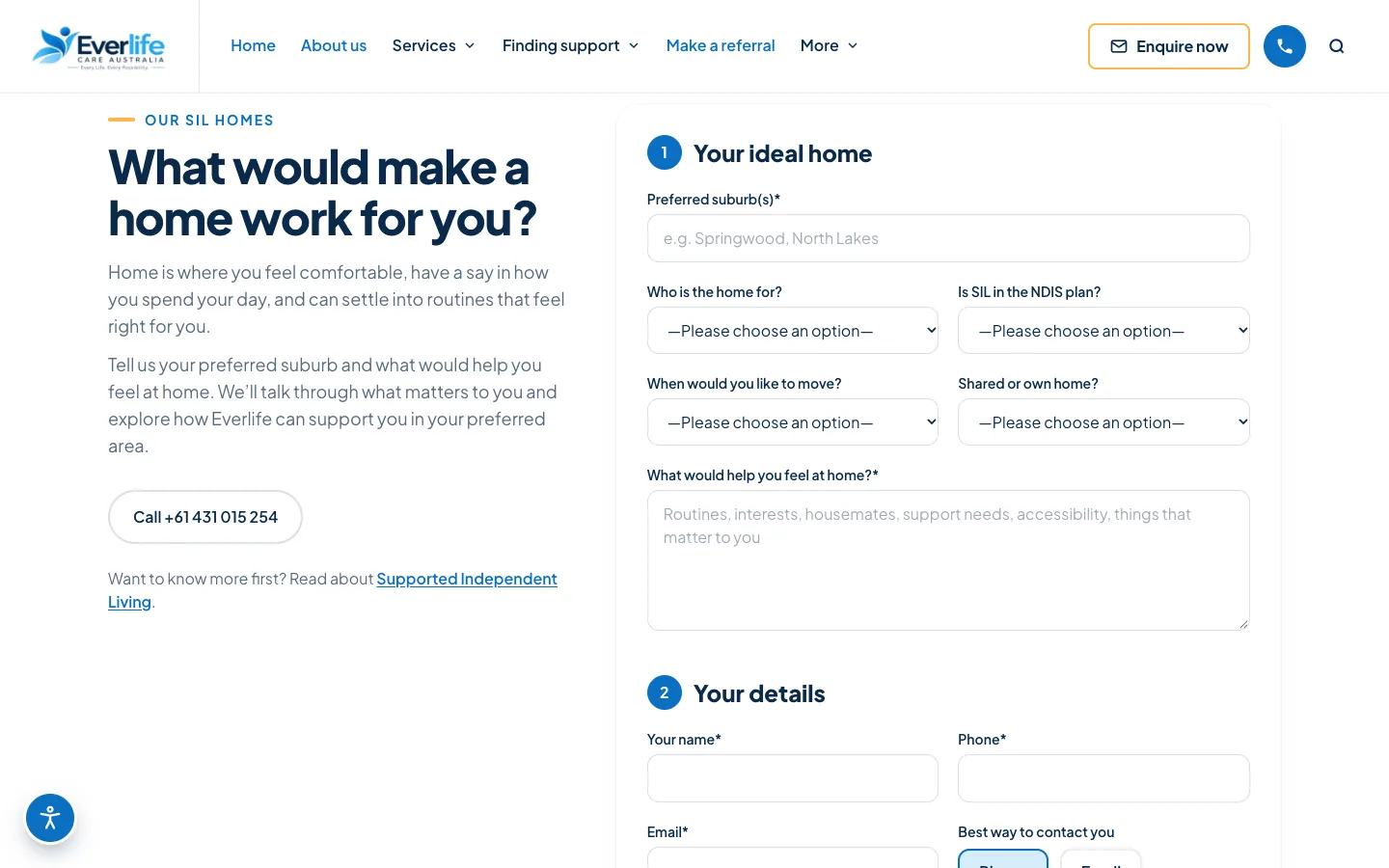
The Our SIL homes page collects housing enquiries through a dedicated form, with no vacancy listings. The heading asks “What would make a home work for you?”, and the form starts with the person’s preferences.
- Preferred suburb or suburbs
- Who the home is for
- Whether SIL is funded in the NDIS plan, under review, or not sure
- Move timing, from “As soon as possible” to “Just exploring”
- Shared home, own home, or open to either
- An open question: what would help you feel at home?
A SIL enquiry needs different information from a general enquiry. Funding status and move timing tell the team how urgent the request is and which conversation to have first.
How Do the Regional Pages Support Local SEO?
Five regional pages connect the provider’s services to the areas it covers in South East Queensland. Each page targets searches such as “support workers Brisbane” or “NDIS support Gold Coast” with local context in place of a repeated city name.
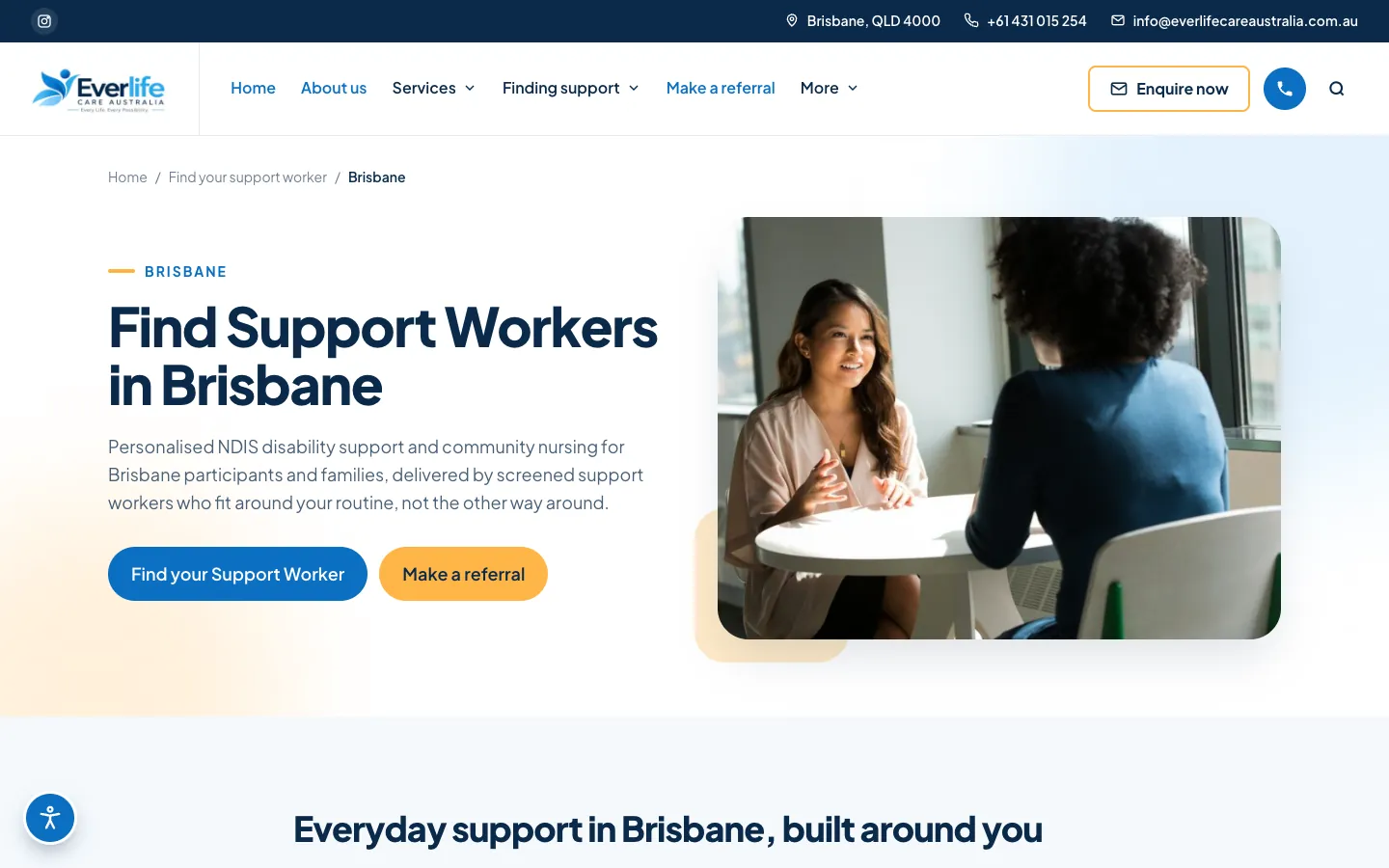
The Brisbane page shows the structure:
- A breadcrumb: Home, Find your support worker, Brisbane
- An H1, “Find Support Workers in Brisbane”, with two calls to action
- Six reasons Brisbane families choose the provider
- All 11 services, linked to their service pages
- Twelve named suburbs, such as Chermside, Sunnybank and Wynnum
- Links to the four neighbouring regional pages
- Six FAQs about support workers in Brisbane
What should a regional page include?
A thin location page with a swapped city name adds little value for visitors or search engines. Suburb lists, cross-links between regions and region-specific FAQs give each page a reason to exist. The more local detail a page holds, such as travel areas or local community programs, the stronger it becomes over time.
How Are Feedback and Complaints Handled Online?
The Feedback & Complaints page gives clients, families and staff a structured form with an anonymous option. The intro states giving feedback will never affect the support a person receives.
- Type: compliment, suggestion, concern or complaint
- Which service it is about, with a “General / not sure” option
- What happened, and what outcome the person wants
- Who is giving feedback, from participant to staff member
- An “I want to stay anonymous” checkbox
The page also names the NDIS Quality and Safeguards Commission and its phone number for anyone unhappy with the provider’s response. Registered NDIS providers must have a complaints management and resolution system, and the NDIS Practice Standards include feedback and complaints management (NDIS Quality and Safeguards Commission). A website form supports this process. It does not replace the provider’s internal complaints management system.
How Was Accessibility Built Into the Website?
Accessible NDIS web design means people with different abilities understand and operate every page and form. For this project, it covered page structure, form design and an on-page toolbar.
The W3C organises WCAG 2.2 around four principles: content should be perceivable, operable, understandable and robust (W3C). The website applies them through:
- A skip to main content link
- Descriptive headings and breadcrumbs
- Labelled form fields, grouped into numbered steps
- Clear required field markers and validation messages
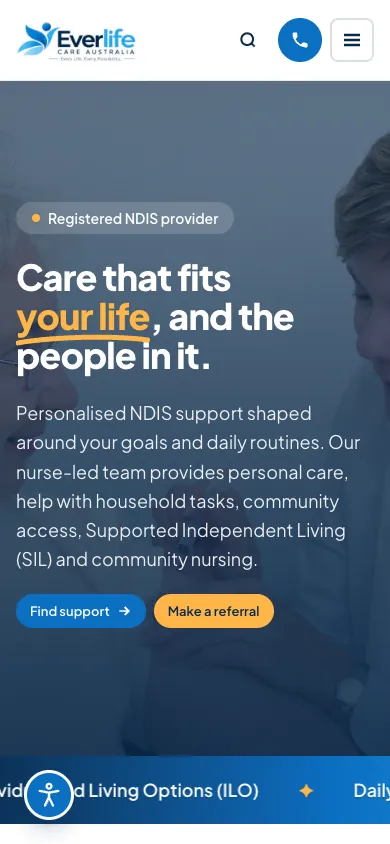
- Large, touch-friendly buttons on mobile
The accessibility toolbar adds user controls for text size, high contrast, greyscale, readable font, text spacing, link highlighting, pausing animations, a large cursor and a reading mask. A toolbar adds options for the visitor. It does not fix an inaccessible page, so the underlying markup still has to meet WCAG on its own.
How Does the Website Build Trust With Families?
Trust on an NDIS provider website comes from clear, checkable information. The website states the details families ask about before a first call:
- Registered NDIS provider status and ABN in the footer
- Worker screening: NDIS Worker Screening Checks, police checks and qualifications
- A five-step process, from first conversation and nurse-led assessment to ongoing review
- Pricing aligned with the NDIS Pricing Arrangements, with costs agreed upfront
- Office hours and a one business day response time
- An Acknowledgement of Country and an inclusivity statement
The blog adds plain-English guides, such as “How Does SIL Funding Work?” and “What to Know Before Starting NDIS Support for the First Time”. These answer the questions families search for before they choose a provider.
What Common NDIS Website Problems Does This Structure Avoid?
| Common problem | Approach on this website |
|---|---|
| All services listed on one long page | 11 service pages with category filters |
| One contact form for every request | Separate enquiry, referral, SIL and feedback forms |
| Referral form buried under Contact | Make a referral in the hero and main navigation |
| Location pages with only the city name changed | Suburb lists, regional cross-links and local FAQs |
| No guidance for first-time participants | Eligibility, changing provider and blog guides |
| Accessibility left to the browser | Accessible markup plus an on-page toolbar |
Why Was WordPress Chosen for This NDIS Website?
WordPress gives the provider a content platform the team manages without a developer for everyday updates. New blog posts, service changes and regional pages fit into the existing structure. Read more about my WordPress website development approach.
When I build forms for a care provider, I test the full path after Submit: validation, confirmation, email notifications and where the data ends up. Referral and feedback forms hold personal and health information, so access, storage, retention and administrator permissions need planning before launch.
What Was the Result?
The project delivered a structured WordPress website built around service discovery, worker matching, referrals and local visibility across South East Queensland.
- 11 individual NDIS service pages with category filters
- A Find your Support Worker hub with a match quiz
- Five regional pages with named suburbs and local FAQs
- A three-step referral form with multi-select support options
- A SIL home enquiry form
- A Feedback & Complaints form with an anonymous option
- An accessibility toolbar and mobile-first layouts
- Eligibility, changing provider and blog content for first-time participants
How Fast Is the Website?
The homepage scores 99 for Performance on both mobile and desktop in Google PageSpeed Insights. SEO scores 100 on both devices, and the site passes all 3 Agentic Browsing checks. I ran the test on 25 November 2026.
| Category | Mobile | Desktop |
|---|---|---|
| Performance | 99 | 99 |
| Accessibility | 94 | 94 |
| Best Practices | 100 | 96 |
| SEO | 100 | 100 |
| Agentic Browsing | 3/3 | 3/3 |
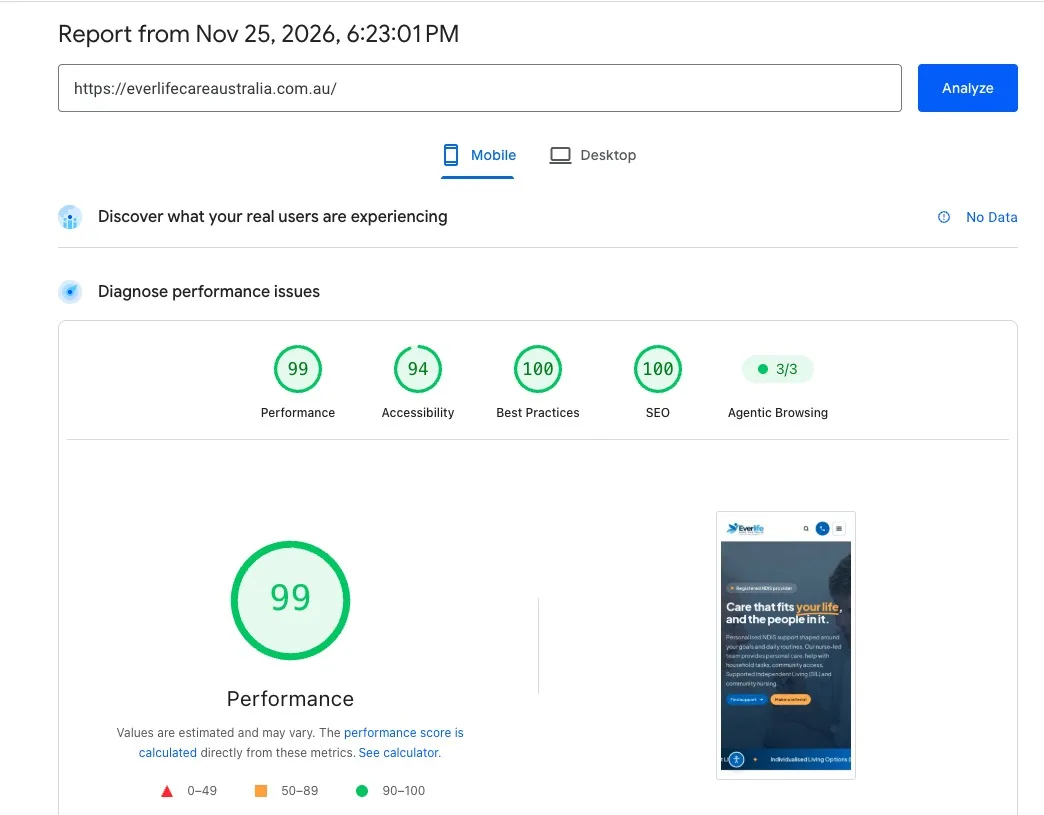
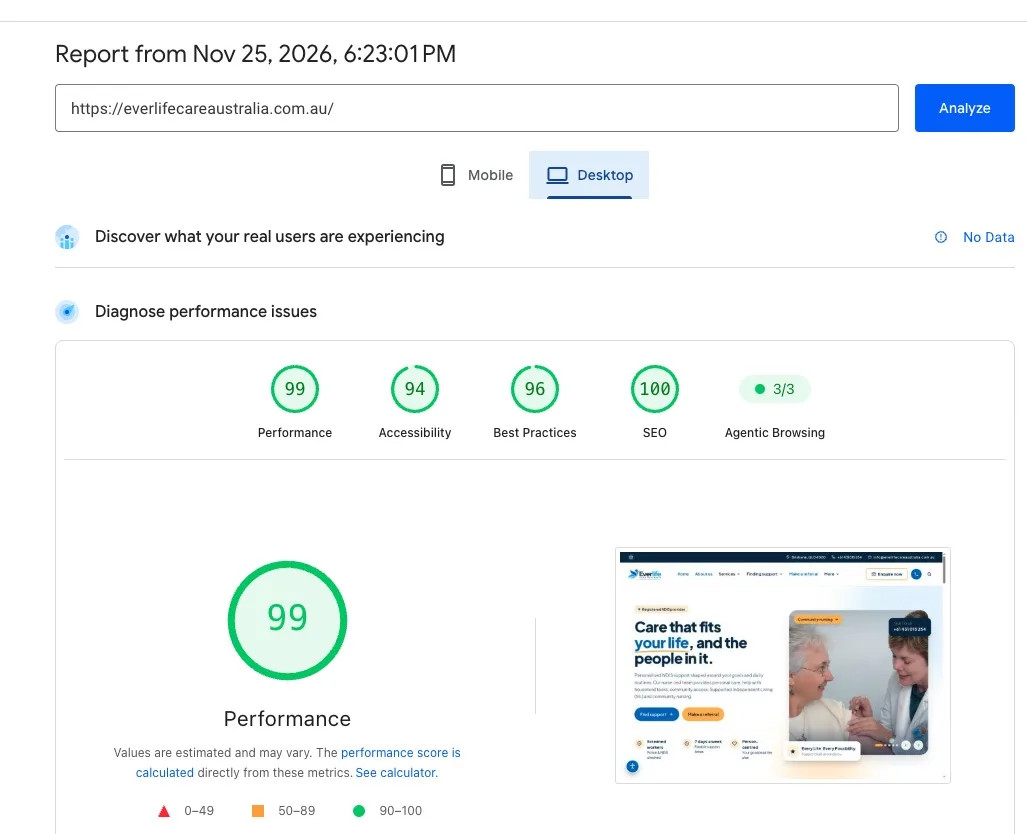
These are lab scores from Lighthouse, which runs one simulated page load. Real-user field data from the Chrome UX Report shows “No Data” for now, because the site does not yet have enough visits to report (Google for Developers). An Accessibility score of 94 checks automated rules only. It is not a WCAG conformance result, so manual testing with a keyboard and screen reader still matters.
Apart from these lab scores, this case study reports what was built. It makes no traffic, ranking or conversion claims, because those need measured analytics data.
Frequently Asked Questions
What should an NDIS provider website include?
An NDIS provider website should show its services, service area, registration status, worker screening, contact options and a referral process. A feedback and complaints pathway is also important. This project adds a support worker match quiz and regional pages for its five service areas.
Should an NDIS provider have separate referral and enquiry forms?
Yes, in most cases. A support coordinator referring a participant needs different fields from a family making a first enquiry. The referral form in this project asks for the participant’s details, suburb and support types, while the enquiry form asks who is enquiring and the funding type.
Do regional pages help an NDIS provider rank locally?
Regional pages help when they hold real local detail, such as named suburbs, links to nearby areas and local FAQs. Pages with only the city name swapped add little value. This provider has five regional pages across South East Queensland.
Does an accessibility toolbar make a website WCAG compliant?
No. A toolbar gives visitors extra display options, but the page markup, headings, labels and contrast still need to meet WCAG 2.2 on their own (W3C).
Is WordPress suitable for an NDIS provider website?
Yes, when it is built and maintained well. WordPress supports service pages, regional pages, forms, a blog and SEO controls. Security, backups, updates and the handling of sensitive form data still need careful planning.
Key Takeaway
This project shows how NDIS provider website design in Brisbane works best when it starts with visitor tasks. Participants find a worker, families build trust, coordinators refer, and existing clients give feedback, each through a page built for the job.
The lesson for your project: list what each visitor needs to do, then build pages and forms around those tasks. See more projects in my website design case studies, read the Wings Care NDIS website case study, or learn about my NDIS website design services.